










2025 XTOOL TP150 TPMS TS100 Programming Tire Sensor Relearn Reset Activate Tool


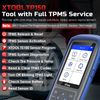
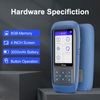
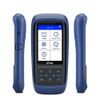
2025 XTOOL TP150 is your best choice! It's the most cost-effective & easy to use TPMS Tool with ALL TPMS Services for both DIYers or Tire shops, meeting nearly all needs, with better price and more functions than others(some do not support OBD Relearn/Programming), save your time, effort, and money from mechanics! With high-quality and broad vehicles coverage, solves tire issues in minutes, replaces winter/summer sensors, ensures the safety and efficiency of TPMS system, which makes it a must-have TPMS Tire Pressure Monitor System Tool! With XTOOL TP150 TPMS Programming Tool, you’ll be able to 🏆monitor and repair the TPMS System check tire pressure, temperature, battery life, read sensor IDs 🏆Read/Clear DTCs 🏆Reset TPMS to turn Warning Light off 🏆TPMS Diagnosis🏆99% Sensors Activate 🏆XTOOL TS100 Sensor program 🏆99% Sensors relearn after replacement. Come to us with VIN to check compatibility~

Why Choose XTOOL TP150?
✅【TPMS health diagnose, read real-time sensor info】It can read sensor ID/tire pressure/temperature/battery life/frequency; check OE part number, diagnoses to read/clear DTCs and turn off annoying TPMS warning light after specific repairing, and also a best bang to replace broken OE/aftermarket sensors, ensure a safe driving. ❗NOTE: it ONLY Works for programmed NON-XTOOL sensors or XTOOL Sensors.
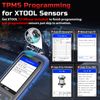
✅【XTOOL TS100 Sensors Programming Only】XTOOL TP150 tire pressure sensor programming tool can replace broken sensors by programming XTOOL TS100 sensors into your car in 4 methods:1-Auto ID Generation, 2-Manual Input ID, 3-Copy ID by Activation, 4-Copy ID by OBD. Enables you to get the tire sensors programmed and avoid the hassle from dealership or repair shops, save time and money. ❗NOTE: TP150 TPMS sensor programmer can ONLY program XTOOLsensors. Other brand sensors are not supported.
✅【TPMS Sensor Activation for 99% Cars】XTOOL TP150 can trigger almost all 315/433MHz sensors in market like programmed OE or aftermarket sensors, provides you the instructions after selecting the correct make, model and year. Allow you to retrieve the info accurately and quickly: sensor ID, pressure, temperature, battery, frequency while activating. No need to purchase separate activation tool. ❗Note: Please check compatibility with VIN and sensor number. Sensors needed to be programmed first.
✅【TPMS Reset /Sensors Relearn】XTOOL TP150 offers 4 ways to relearn 99% TPMS sensors: OBD Relearn, Stationary Relearn, Manual Relearn, Copy Relearn, provides online relearning procedure for most American, Asian and European vehicles equipped with TPMS. Help to save money for drivers who owns multiple cars and get a tire issue fast solved for tire shops. ❗Note: Some vehicles can automatically relearn after driving 20 minutes, please check from vehicle manual.
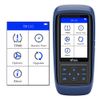
✅【Complete TPMS System Diagnostics & Turn off TPMS Light】XTOOL TP150 tpms sensor tool & tpms sensor reader will read real-time sensor data, diagnose TPMS system for comprehensive TPMS health check in minutes, and read/clear TPMS DTCs to quickly locate the problems, deflation in the tires; Scan TPMS sensor ID, check sensor position, frequency, battery life to determine when it should be replaced and ensure the tire health, helps to turn off blinking TPMS light; Works as your TPMS scanner/tps doctor.
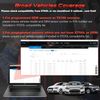
✅【Broad Vehicle Coverage with 13 Languages supported】XTOOL TP150 TPSM tire sensor Tool covers for American cars including for GMC/for Buick/for Chevy/for Cadillac/for Buick/for Ford/for Lincoln/for Dodge/for Jeep/for Chrysler, etc; European cars including for Bentley/for VW/for Skoda/for Porsche/for Opel/for Vauxhall/for Fiat/for Peugeot/for Citroen/for Volvo/for BMW/for Mini/for Land Rover/for Renault, etc; Asian cars including for Mazda/for Toyota/for Lexus/for Nissan/for Acura/for Subaru/for Honda/for Mitsubishi/for Infinity, etc. ❗NOTE: ONLY works for 12V OBD2 vehicles, please check compatibility from "Supports-Function Lists-TPMS"on xtooltech webs!te before purchase
- TPMS Relearn Tool for GM from 1996-2024: for Buick Allure 2006-2015, for Cascada 2016-2020, for Century 1999-2005, for Enclave 2007-2024, for Encore 2013-2024, etc. for Chevrolet Avalanche 2004-2013, for Camaro 2009-2024, for Equinox 2007-2024, for Silverado 2000-2024, etc. for GMC/for Opel/for Cadillac, etc. Sensors should be original OEM sensors which well programmed or choose XTOOL TS100 Sensors
- TPMS Relearn Tool for Ford from 1996-2024: for E-Series 2007-2024, for Edge 2006-2024, for Escape 2005-2024, for Ford F-150 2006-2024, for F-Series 2006-2024, for F250, for Ford Focus, for Mustang, for Fusion, for Ford Expedition, for Ford Explorer, for Transit, for Lincoln, for Mercury, for Mazda, etc. Sensors should be original OEM sensors which well programmed or choose XTOOL TS100 Sensors
- TPMS Relearn Tool for Toyota from 1996-2024: for 4 Runner 2003-2024, for 86 2012-2023, for Allion 2019-2024, for Alphard 2015-2024, for Avalon 2006-2024, for Toyota Camry 2004-2024, for Toyota Corolla 2002-2024, for FJ Cruiser, for FR-S, for GR 86, for Highlander, for Tacoma, for Tundra, for Prius, for Sienna, etc. Sensors should be original OEM sensors which well programmed or choose XTOOL TS100 Sensors


XTOOL TP150 TPMS Programming Tool provides 4 convenient and easy to use options to program XTOOL sensors(Durable for 3-5 years, the substitution of expensive OEM sensors, need extra purchase) to replace broken sensors and meet the specifications of a particular vehicle before new sensor installation and relearn.
1-Automatic ID Generation:
Automatically create a new unique ID(s) into TS100 sensors. After programming the TS100, you need to perform tpms relearn to match the new sensor ID to vehicle's ECU. If you don't know the original sensor ID or your original sensor was bad, you could choose this method.
2-Manual Input ID:
Input the ID manually into the new installed TS100 sensor. You can find the ID on the original sensor. If you know the original sensor ID(the original sensor cannot be activated) and the tire/sensor position has not been changed, you could choose this method.
3-Copy ID by Activation:
Trigger the original sensor, get the ID and and copy the ID to the new sensor. If your original sensor works and can be activated, and the tire/sensor position has not been changed, you can choose this method.
4-Copy ID by OBD:
Diagnose the vehicle TPMS and get the ID, copy it to the new sensor. If your original sensor is missing and the ID can be read after diagnosis on the car, and the tire/sensor position has not been changed, you can choose this method.
Note:
✔TPMS programming only work with XTOOL TS100 sensors. ✔TS100 sensors are not included in the tool kit! ✔Please check compatibility with VIN and sensor number before purchase!
✔If your sensors are OE sensors or other brands sensors, TP150 cannot support, please choose XTOOL TS100 to work together!
✔If your sensors are pre-programmed, then you do not need this step, you should start it from TPMS activation/Trigger Sensors.
✔Relearn is needed for Method 1; relearn is no need for Method 2,3,4. ✔As for method 2,3,4, please note that the damaged OE sensors should not be placed on the vehicle while programming, as they can cause data interference.
✔Please check the compatibility before purchase!


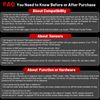
FAQ You Need to Know Before or After Purchase
Compatibility:
- Does not work for my vehicles? --TP150 support 99% vehicles in market: tpms programming/activate/relearn/reset/scan tool for GM, for Toyota, for Dodge, for Honda, for Jeep, for Ford, for Nissan, for Chevrolet/for Chevy, for BMW, for Hyundai, for Ram, for Subaru, for Lexus, for Mercedes-Benz, for Kia, for Mazda, for GMC, for Infiniti, for Chrysler, for Audi, for Porsche, for Volvo, for Land Rover, for Scion, for Cadillac, for Buick, for Mitsubishi, please check from "xtoolonline-Support-Vehicle Coverage-TPMS" or contact us directly.
- Cannot Find My Vehicle? --Please find it in the right region( the region where the vehicle brand is located), e.g. toyota: TPMS-Asia-Toyota-Tundra
About Sensors:
- Not Support My Sensors? Not support program sensors? --Please sure your sensors are pre-programmed and the right part number with your original sensors. If not, TP150 ONLY program XTOOL Sensors, please get the XTOOL TS100 sensor.
- My sensor is OEM and pre-programmed, TP150 cannot work. Why? --The new sensors should be correct which must have the same part number as the original vehicle's sensor. For instance, for a 2016 Toyota Tundra, if yours is 2021 OEM sensors but not the same part number, it cannot work because it’s not the right sensor. Please get the right OE sensors; Another way is to choose XTOOL TS100 sensors.
- Couldn't read tpms sensor? --TP150 can read 99% sensors including the sensor ID, sensor position, frequency, battery life, any issue, please check compatibility with us.
Function or Hardware Issues:
- Cannot Relearn My Car? --Please activate it first and go to diagnosis menu to operate TPMS relearn. Note: Please hold the device close to the valve during activation, click the activation button; After activation, the device will provide a sound prompt, or the tire pressure for the activated tire position will be displayed.
- Have issues during using? Item is defective? Received used units? --All units are under strick quality test before factory, any issue, please contact us with the serial number for help.
- 3. Could not figure out how to use? --Check the instruction from the user Guide in the package or the videos of Youtube. NOTE: please connect to internet and go to "update" to upgrade TP150 to the newest version before using! Any issue, please contact us.


Shipping Overview:
• Shipping: Standard Domestic Shipping within the United States charges first item USD 5.99 and additional item USD 3.0 each. Standard International Shipping from United Kingdom, Germany, Italian and Japan to the United States charges first item USD 9.99 and additional item USD 4.0 each.
• Import Duty: Everymarket collects applicable duties and taxes on goods imported into the U.S. at checkout, it's calculated based on the goods value multiply by the rate. For United Kingdom and China goods is 10%, Germany, Italian and Japan goods is 15%. We are committed to making your U.S. shopping experience simple and transparent. The method of delivery—either Delivered Duty Paid (DDP) or Delivered Duty Unpaid (DDU)—depends on whether duties and taxes are collected at the time of your purchase.
• Order Processing: Please allow 1-2 business days for order processing and preparation before shipment.
• Domestic Shipping: Orders within the U.S. are shipped via USPS or FedEx, depending on the origin of the product. Average transit times to the United States is 3 - 7 Business days and average transit times to International is 7 - 14 Business days
• International Shipping: Currently, we only ship within the USA.
• Tracking Information: Every order is trackable. You will receive a tracking number once your order has been shipped. Products may be shipped from various global fulfillment centers.
Shipping Delays:
Please note that shipping times may vary due to factors beyond our control, such as weather conditions, natural disasters, or peak holiday periods. While we strive to ensure timely delivery, the exact arrival time cannot be guaranteed and is managed by the shipping carrier.
Shipping Options:
-
Standard Delivery: Most orders are shipped within 3-7 business days. Larger items may utilize LTL shipping for safe handling.
-
Handling Time: We handle shipments on business days (Monday - Friday), with a preparation time of 1-2 days.
-
Additional Charges: Some items require additional shipping charges due to their size, weight, or special handling. These charges are specified on the product pages and are not eligible for shipping discounts.
-
Exclusions: Gift cards, packaging, taxes, and prior purchases do not count toward the minimum purchase requirement for free shipping. This offer is valid only for shipments to U.S. addresses, including Puerto Rico.
Delivery Details:
-
Estimates: Standard shipping within the US typically takes 3-7 business days. These are estimates and not guarantees.
-
Shipping Restrictions: We ship to all 50 states, Washington, DC, U.S. territories, and APO/FPO/DPO addresses. Shipping options vary based on the delivery address.
-
Remote Areas: Shipments to remote areas may incur additional charges or require pickup from a nearby shipping partner’s location.
Shipping Confirmation:
You will receive a shipping confirmation email with a tracking number as soon as your order is dispatched. If you do not receive this email immediately, please be assured that your items will arrive within the estimated delivery window provided at checkout.
Order Modifications:
If you need to cancel or modify your order, please contact our customer support immediately.
Issues with Delivery:
If your order shows as delivered but you have not received it, please contact the shipping carrier directly to resolve the issue. For persistent problems, contact our customer service at cs@everymarket.com.
Customer Support:
Our team is available 24/7 to assist you with any questions or concerns regarding your order. We are committed to ensuring a smooth shopping experience.
Return & Refund Policy Overview
Please review our return and refund policies below to ensure a smooth transaction process.
Return Policy
-
Duration: You have 30 days from receiving your item to initiate a return.
-
Condition: Items must be unworn, unwashed, with original tags and packaging intact.
-
Shipping Costs: Please contact us to initiate your return, we'll offer return label for free. Otherwise we are not responsible for the return shipping costs of the items.
-
Packaging: Ensure returned items are well-packaged to avoid damage during transit.
-
Tracking: Use a trackable and insured shipping method as we are not liable for items lost or damaged on return.
-
Initiating a Return: Contact us at cs@everymarket.com to start your return. We will provide a return shipping label and instructions upon approval. Returns without prior approval will not be accepted.
How to Return
-
Method: Returns must be sent back by mail to the address provided in the return instructions.
Return Label
-
Please contact us to get return labels.
Product Conditions for Return
-
Eligible Products: Returns are only accepted for items in new condition.
Nonreturnable Items
Certain items are not eligible for return:
-
Electronic devices after 30 days (e.g., computers, laptops, Kindles)
-
Gift cards, prepaid game cards
-
Perishable goods, live insects, some jewelry, some health and personal care items
-
Customized or personalized products
-
Items with special shipping restrictions
Refund Policy
-
Window: Eligible products may be returned within 30 days of delivery for a refund.
-
Refund Method: Refunds are processed to the original payment method or as store credit for items purchased with gift cards.
-
Processing Time: Refunds are processed within 3-5 business days after we receive the return; please allow additional time for shipping and bank processing.
Claims
Inspect your order upon arrival and report any defects, damages, or incorrect items immediately to allow us to address the issue. For claims, contact our support team with details of the issue.
Exchange Policy
For the quickest service, return your original item and place a new order for the desired product once your return is accepted.
Return Address
EveryMarket Customer Service 2101 E Terra Ln, O'Fallon, MO 63366
Customer Support
Available 24/7 for any questions or assistance needed:
-
Phone: +1 (800) 660-3783
-
Email: cs@everymarket.com
2025 XTOOL TP150 is your best choice! It's the most cost-effective & easy to use TPMS Tool with ALL TPMS Services for both DIYers or Tire shops, meeting nearly all needs, with better price and more functions than others(some do not support OBD Relearn/Programming), save your time, effort, and money from mechanics! With high-quality and broad vehicles coverage, solves tire issues in minutes, replaces winter/summer sensors, ensures the safety and efficiency of TPMS system, which makes it a must-have TPMS Tire Pressure Monitor System Tool! With XTOOL TP150 TPMS Programming Tool, you’ll be able to 🏆monitor and repair the TPMS System check tire pressure, temperature, battery life, read sensor IDs 🏆Read/Clear DTCs 🏆Reset TPMS to turn Warning Light off 🏆TPMS Diagnosis🏆99% Sensors Activate 🏆XTOOL TS100 Sensor program 🏆99% Sensors relearn after replacement. Come to us with VIN to check compatibility~
Why Choose XTOOL TP150?
✅【TPMS health diagnose, read real-time sensor info】It can read sensor ID/tire pressure/temperature/battery life/frequency; check OE part number, diagnoses to read/clear DTCs and turn off annoying TPMS warning light after specific repairing, and also a best bang to replace broken OE/aftermarket sensors, ensure a safe driving. ❗NOTE: it ONLY Works for programmed NON-XTOOL sensors or XTOOL Sensors.
✅【XTOOL TS100 Sensors Programming Only】XTOOL TP150 tire pressure sensor programming tool can replace broken sensors by programming XTOOL TS100 sensors into your car in 4 methods:1-Auto ID Generation, 2-Manual Input ID, 3-Copy ID by Activation, 4-Copy ID by OBD. Enables you to get the tire sensors programmed and avoid the hassle from dealership or repair shops, save time and money. ❗NOTE: TP150 TPMS sensor programmer can ONLY program XTOOLsensors. Other brand sensors are not supported.
✅【TPMS Sensor Activation for 99% Cars】XTOOL TP150 can trigger almost all 315/433MHz sensors in market like programmed OE or aftermarket sensors, provides you the instructions after selecting the correct make, model and year. Allow you to retrieve the info accurately and quickly: sensor ID, pressure, temperature, battery, frequency while activating. No need to purchase separate activation tool. ❗Note: Please check compatibility with VIN and sensor number. Sensors needed to be programmed first.
✅【TPMS Reset /Sensors Relearn】XTOOL TP150 offers 4 ways to relearn 99% TPMS sensors: OBD Relearn, Stationary Relearn, Manual Relearn, Copy Relearn, provides online relearning procedure for most American, Asian and European vehicles equipped with TPMS. Help to save money for drivers who owns multiple cars and get a tire issue fast solved for tire shops. ❗Note: Some vehicles can automatically relearn after driving 20 minutes, please check from vehicle manual.
✅【Complete TPMS System Diagnostics & Turn off TPMS Light】XTOOL TP150 tpms sensor tool & tpms sensor reader will read real-time sensor data, diagnose TPMS system for comprehensive TPMS health check in minutes, and read/clear TPMS DTCs to quickly locate the problems, deflation in the tires; Scan TPMS sensor ID, check sensor position, frequency, battery life to determine when it should be replaced and ensure the tire health, helps to turn off blinking TPMS light; Works as your TPMS scanner/tps doctor.
✅【Broad Vehicle Coverage with 13 Languages supported】XTOOL TP150 TPSM tire sensor Tool covers for American cars including for GMC/for Buick/for Chevy/for Cadillac/for Buick/for Ford/for Lincoln/for Dodge/for Jeep/for Chrysler, etc; European cars including for Bentley/for VW/for Skoda/for Porsche/for Opel/for Vauxhall/for Fiat/for Peugeot/for Citroen/for Volvo/for BMW/for Mini/for Land Rover/for Renault, etc; Asian cars including for Mazda/for Toyota/for Lexus/for Nissan/for Acura/for Subaru/for Honda/for Mitsubishi/for Infinity, etc. ❗NOTE: ONLY works for 12V OBD2 vehicles, please check compatibility from "Supports-Function Lists-TPMS"on xtooltech webs!te before purchase
- TPMS Relearn Tool for GM from 1996-2024: for Buick Allure 2006-2015, for Cascada 2016-2020, for Century 1999-2005, for Enclave 2007-2024, for Encore 2013-2024, etc. for Chevrolet Avalanche 2004-2013, for Camaro 2009-2024, for Equinox 2007-2024, for Silverado 2000-2024, etc. for GMC/for Opel/for Cadillac, etc. Sensors should be original OEM sensors which well programmed or choose XTOOL TS100 Sensors
- TPMS Relearn Tool for Ford from 1996-2024: for E-Series 2007-2024, for Edge 2006-2024, for Escape 2005-2024, for Ford F-150 2006-2024, for F-Series 2006-2024, for F250, for Ford Focus, for Mustang, for Fusion, for Ford Expedition, for Ford Explorer, for Transit, for Lincoln, for Mercury, for Mazda, etc. Sensors should be original OEM sensors which well programmed or choose XTOOL TS100 Sensors
- TPMS Relearn Tool for Toyota from 1996-2024: for 4 Runner 2003-2024, for 86 2012-2023, for Allion 2019-2024, for Alphard 2015-2024, for Avalon 2006-2024, for Toyota Camry 2004-2024, for Toyota Corolla 2002-2024, for FJ Cruiser, for FR-S, for GR 86, for Highlander, for Tacoma, for Tundra, for Prius, for Sienna, etc. Sensors should be original OEM sensors which well programmed or choose XTOOL TS100 Sensors
XTOOL TP150 TPMS Programming Tool provides 4 convenient and easy to use options to program XTOOL sensors(Durable for 3-5 years, the substitution of expensive OEM sensors, need extra purchase) to replace broken sensors and meet the specifications of a particular vehicle before new sensor installation and relearn.
1-Automatic ID Generation:
Automatically create a new unique ID(s) into TS100 sensors. After programming the TS100, you need to perform tpms relearn to match the new sensor ID to vehicle's ECU. If you don't know the original sensor ID or your original sensor was bad, you could choose this method.
2-Manual Input ID:
Input the ID manually into the new installed TS100 sensor. You can find the ID on the original sensor. If you know the original sensor ID(the original sensor cannot be activated) and the tire/sensor position has not been changed, you could choose this method.
3-Copy ID by Activation:
Trigger the original sensor, get the ID and and copy the ID to the new sensor. If your original sensor works and can be activated, and the tire/sensor position has not been changed, you can choose this method.
4-Copy ID by OBD:
Diagnose the vehicle TPMS and get the ID, copy it to the new sensor. If your original sensor is missing and the ID can be read after diagnosis on the car, and the tire/sensor position has not been changed, you can choose this method.
Note:
✔TPMS programming only work with XTOOL TS100 sensors. ✔TS100 sensors are not included in the tool kit! ✔Please check compatibility with VIN and sensor number before purchase!
✔If your sensors are OE sensors or other brands sensors, TP150 cannot support, please choose XTOOL TS100 to work together!
✔If your sensors are pre-programmed, then you do not need this step, you should start it from TPMS activation/Trigger Sensors.
✔Relearn is needed for Method 1; relearn is no need for Method 2,3,4. ✔As for method 2,3,4, please note that the damaged OE sensors should not be placed on the vehicle while programming, as they can cause data interference.
✔Please check the compatibility before purchase!
FAQ You Need to Know Before or After Purchase
Compatibility:
- Does not work for my vehicles? --TP150 support 99% vehicles in market: tpms programming/activate/relearn/reset/scan tool for GM, for Toyota, for Dodge, for Honda, for Jeep, for Ford, for Nissan, for Chevrolet/for Chevy, for BMW, for Hyundai, for Ram, for Subaru, for Lexus, for Mercedes-Benz, for Kia, for Mazda, for GMC, for Infiniti, for Chrysler, for Audi, for Porsche, for Volvo, for Land Rover, for Scion, for Cadillac, for Buick, for Mitsubishi, please check from "xtoolonline-Support-Vehicle Coverage-TPMS" or contact us directly.
- Cannot Find My Vehicle? --Please find it in the right region( the region where the vehicle brand is located), e.g. toyota: TPMS-Asia-Toyota-Tundra
About Sensors:
- Not Support My Sensors? Not support program sensors? --Please sure your sensors are pre-programmed and the right part number with your original sensors. If not, TP150 ONLY program XTOOL Sensors, please get the XTOOL TS100 sensor.
- My sensor is OEM and pre-programmed, TP150 cannot work. Why? --The new sensors should be correct which must have the same part number as the original vehicle's sensor. For instance, for a 2016 Toyota Tundra, if yours is 2021 OEM sensors but not the same part number, it cannot work because it’s not the right sensor. Please get the right OE sensors; Another way is to choose XTOOL TS100 sensors.
- Couldn't read tpms sensor? --TP150 can read 99% sensors including the sensor ID, sensor position, frequency, battery life, any issue, please check compatibility with us.
Function or Hardware Issues:
- Cannot Relearn My Car? --Please activate it first and go to diagnosis menu to operate TPMS relearn. Note: Please hold the device close to the valve during activation, click the activation button; After activation, the device will provide a sound prompt, or the tire pressure for the activated tire position will be displayed.
- Have issues during using? Item is defective? Received used units? --All units are under strick quality test before factory, any issue, please contact us with the serial number for help.
- 3. Could not figure out how to use? --Check the instruction from the user Guide in the package or the videos of Youtube. NOTE: please connect to internet and go to "update" to upgrade TP150 to the newest version before using! Any issue, please contact us.
Shipping Overview:
• Shipping: Standard Domestic Shipping within the United States charges first item USD 5.99 and additional item USD 3.0 each. Standard International Shipping from United Kingdom, Germany, Italian and Japan to the United States charges first item USD 9.99 and additional item USD 4.0 each.
• Import Duty: Everymarket collects applicable duties and taxes on goods imported into the U.S. at checkout, it's calculated based on the goods value multiply by the rate. For United Kingdom and China goods is 10%, Germany, Italian and Japan goods is 15%. We are committed to making your U.S. shopping experience simple and transparent. The method of delivery—either Delivered Duty Paid (DDP) or Delivered Duty Unpaid (DDU)—depends on whether duties and taxes are collected at the time of your purchase.
• Order Processing: Please allow 1-2 business days for order processing and preparation before shipment.
• Domestic Shipping: Orders within the U.S. are shipped via USPS or FedEx, depending on the origin of the product. Average transit times to the United States is 3 - 7 Business days and average transit times to International is 7 - 14 Business days
• International Shipping: Currently, we only ship within the USA.
• Tracking Information: Every order is trackable. You will receive a tracking number once your order has been shipped. Products may be shipped from various global fulfillment centers.
Shipping Delays:
Please note that shipping times may vary due to factors beyond our control, such as weather conditions, natural disasters, or peak holiday periods. While we strive to ensure timely delivery, the exact arrival time cannot be guaranteed and is managed by the shipping carrier.
Shipping Options:
-
Standard Delivery: Most orders are shipped within 3-7 business days. Larger items may utilize LTL shipping for safe handling.
-
Handling Time: We handle shipments on business days (Monday - Friday), with a preparation time of 1-2 days.
-
Additional Charges: Some items require additional shipping charges due to their size, weight, or special handling. These charges are specified on the product pages and are not eligible for shipping discounts.
-
Exclusions: Gift cards, packaging, taxes, and prior purchases do not count toward the minimum purchase requirement for free shipping. This offer is valid only for shipments to U.S. addresses, including Puerto Rico.
Delivery Details:
-
Estimates: Standard shipping within the US typically takes 3-7 business days. These are estimates and not guarantees.
-
Shipping Restrictions: We ship to all 50 states, Washington, DC, U.S. territories, and APO/FPO/DPO addresses. Shipping options vary based on the delivery address.
-
Remote Areas: Shipments to remote areas may incur additional charges or require pickup from a nearby shipping partner’s location.
Shipping Confirmation:
You will receive a shipping confirmation email with a tracking number as soon as your order is dispatched. If you do not receive this email immediately, please be assured that your items will arrive within the estimated delivery window provided at checkout.
Order Modifications:
If you need to cancel or modify your order, please contact our customer support immediately.
Issues with Delivery:
If your order shows as delivered but you have not received it, please contact the shipping carrier directly to resolve the issue. For persistent problems, contact our customer service at cs@everymarket.com.
Customer Support:
Our team is available 24/7 to assist you with any questions or concerns regarding your order. We are committed to ensuring a smooth shopping experience.
Return & Refund Policy Overview
Please review our return and refund policies below to ensure a smooth transaction process.
Return Policy
-
Duration: You have 30 days from receiving your item to initiate a return.
-
Condition: Items must be unworn, unwashed, with original tags and packaging intact.
-
Shipping Costs: Please contact us to initiate your return, we'll offer return label for free. Otherwise we are not responsible for the return shipping costs of the items.
-
Packaging: Ensure returned items are well-packaged to avoid damage during transit.
-
Tracking: Use a trackable and insured shipping method as we are not liable for items lost or damaged on return.
-
Initiating a Return: Contact us at cs@everymarket.com to start your return. We will provide a return shipping label and instructions upon approval. Returns without prior approval will not be accepted.
How to Return
-
Method: Returns must be sent back by mail to the address provided in the return instructions.
Return Label
-
Please contact us to get return labels.
Product Conditions for Return
-
Eligible Products: Returns are only accepted for items in new condition.
Nonreturnable Items
Certain items are not eligible for return:
-
Electronic devices after 30 days (e.g., computers, laptops, Kindles)
-
Gift cards, prepaid game cards
-
Perishable goods, live insects, some jewelry, some health and personal care items
-
Customized or personalized products
-
Items with special shipping restrictions
Refund Policy
-
Window: Eligible products may be returned within 30 days of delivery for a refund.
-
Refund Method: Refunds are processed to the original payment method or as store credit for items purchased with gift cards.
-
Processing Time: Refunds are processed within 3-5 business days after we receive the return; please allow additional time for shipping and bank processing.
Claims
Inspect your order upon arrival and report any defects, damages, or incorrect items immediately to allow us to address the issue. For claims, contact our support team with details of the issue.
Exchange Policy
For the quickest service, return your original item and place a new order for the desired product once your return is accepted.
Return Address
EveryMarket Customer Service 2101 E Terra Ln, O'Fallon, MO 63366
Customer Support
Available 24/7 for any questions or assistance needed:
-
Phone: +1 (800) 660-3783
-
Email: cs@everymarket.com
Oops!
Sorry, it looks like some products are not available in selected quantity.