



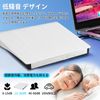


External DVD Drive, High Speed Processing, 8XDVD & 24XCD Optical Drive External Read/Write, Bus-Powered, USB 2.0/3.0 & Type-C Dual Connection, External CD Drive, Compatible with Windows, Vista, Linux,

- High Quality Chip & Fast Processing with Latest Technology: This external CD/DVD drive uses the latest high-quality chip, which ensures faster data processing and improved accuracy. The advanced chipset allows for an incredibly smooth read for not only efficient business tasks but also for entertainment applications. Just plug into your computer with a USB 2.0/3.0 port or Type-C port and you can use this external drive immediately. No external adapter or power supply needed, it will automatically recognize when connected to a computer. No hassle installation procedures are required, making it easy to use
- USB 2.0/3.0 + Type-C port & 8XDVD + 24XCD: The dual USB and Type-C interface makes it easy to connect to a variety of devices and provides the convenience of quick plug and play. This amazingly fast external CD/DVD drive allows you to read and write DVDs up to 8x and CDs up to 24x Even if there is a large amount of data, it is ready to be processed. Whether it's important business or leisure time, its efficiency and speed will exceed your expectations
- Compatible with a wide range of devices: Whether you are a Mac user or Windows user, this DVD player is perfect for you. Supports various operating systems such as Windows 2000/2003/7/8/8.1/10/11/XP, Vista, Linux. Just plug it into your PC with the included cable and it is ready to use. Supports various devices from Windows to Mac OS seamlessly (*Notice:If you can't remove the DVD button (IN/OUT) after connecting the interface, you need to select [This PC] on your computer desktop, right click [DVD-RW Drive] and select [Eject Out] The interface is inserted into the computer, but the DVD-RW drive is not recognized. The interface can be removed and replugged into another interface of the computer.)
- 【Broad Media Support】CD player supports CD/DVD-ROW, CD-R/RW, DVD+R/RW, DVD-R/RW disc formats (CD drivers also support M-DISC). The data write mode of this product requires professional software to download and is original writing software (non-original writing software may cause errors) When playing the CD, you need to check whether the computer is equipped with a player (if not, you need to download it yourself. Cyber PowerDVD 18 player can play most CD/DVD) CD/DVD is too old or too old There is a possibility that the driver cannot recognize or stop while reading. The host computer USB C must be connected to the USB port of the motherboard to utilize the reading function. Disc driver cannot recognize Blu-ray DVD
- Simple and Convenient & Quality Assurance: When the external DVD port is connected successfully to your PC, the indicator light on the DVD external disc will flash for 1-3 seconds. The light will not always flash, only flash when the DVD/CD is connected and set up, and it will turn off when you read the data. If the system does not recognize the driver, the computer driver may be occupied. Click "Device Manager" to open DVD/CD-ROW Drive and "! in the box. Continuously using a DVD drive. Please make sure the voltage is stable when you connect the power of the port. Unstable voltage may result in reading delays and interruptions. If you have any questions during use, please feel free to contact us. We provide a satisfactory solution
- Color: white
- Manufacturer: BRJR
[Advanced Quality Chip - External CD DVD Drive]
External CD/DVD drives are equipped with the latest high quality chip, which ensures fast data processing and high performance. With USB 2.0/3.0 and Type-C ports, you can easily connect a variety of devices. It is also compatible with operating systems such as Windows, Mac, Linux, and more for a wide range of applications. It supports a variety of media formats such as CD/DVD-ROM, CD-R/RW, DVD+R/RW, DVD-R/RW for various activities. Also, no need to set the power supply, just plug it in, and it's easy to use. This convenient and high quality external CD/DVD drive exceeds your expectations for work or entertainment.
[Package Contents]
External DVD/CD Drive x 1 (with power cord), Japanese Manual x 1
[Note]
1.Product port connection problems:
① When the port is connected, the light will flash for 1-3 seconds. This process takes a little time, so you need to double check whether the computer is not recognizing the driver correctly. Use another USB/Type-C port. If the system does not know the driver, you may have a computer driver. Click on "Device Manager" to go on DVD/CD-ROW drive, and "! " means Continue DVD drive.
② After a successful connection of the port, you can check the DVD/CD drive on your computer if it is recognized by your computer. After recognition successfully, press "IN/OUT" key to pop up the disk switch. Or operate the eject switch on your computer (select DVD/CD, click the driver "right" and select "eject")
2.Light Flashing Problem:
1. The light only flashes for 1-3 seconds. Seconds between ports and DVD/CD data read Press the (IN/OUT) button to blink and turn off for other hours.
3. Blu-ray DVD cannot be recognized.
4. IOS system problem: IOS system needs to insert DVD/CD disk in order to know and retrieve DVD/CD external drive on computer desktop (IOS self-cause)
Player Problems:
Please check if there is a downloadable player on your PC when playing, or if you have a player with CDER PowerDVD 18. CD/DVD models are older and may not be able to play with any player. Please feel free to stand by it. Why?
Quality Assurance:
Our products undergo rigorous inspection from production to delivery. Get yours today! Unused items may be damaged during shipping, if the item has cracks or stains, please contact us.
Shipping Overview:
• Shipping: Standard Domestic Shipping within the United States charges first item USD 6.99 and additional item USD 3.0 each. Standard International Shipping from United Kingdom, Germany, Italian and Japan to the United States charges first item USD 11.99 and additional item USD 4.0 each.
• Import Duty: Everymarket collects applicable duties and taxes on goods imported into the U.S. at checkout, it's calculated based on the goods value multiply by the rate. For United Kingdom and China goods is 10%, Germany, Italian and Japan goods is 15%. We are committed to making your U.S. shopping experience simple and transparent. The method of delivery—either Delivered Duty Paid (DDP) or Delivered Duty Unpaid (DDU)—depends on whether duties and taxes are collected at the time of your purchase.
• Order Processing: Please allow 1-2 business days for order processing and preparation before shipment.
• Domestic Shipping: Orders within the U.S. are shipped via USPS or FedEx, depending on the origin of the product. Average transit times to the United States is 3 - 7 Business days and average transit times to International is 7 - 14 Business days
• International Shipping: Currently, we only ship within the USA.
• Tracking Information: Every order is trackable. You will receive a tracking number once your order has been shipped. Products may be shipped from various global fulfillment centers.
Shipping Delays:
Please note that shipping times may vary due to factors beyond our control, such as weather conditions, natural disasters, or peak holiday periods. While we strive to ensure timely delivery, the exact arrival time cannot be guaranteed and is managed by the shipping carrier.
Shipping Options:
-
Standard Delivery: Most orders are shipped within 3-7 business days. Larger items may utilize LTL shipping for safe handling.
-
Handling Time: We handle shipments on business days (Monday - Friday), with a preparation time of 1-2 days.
-
Additional Charges: Some items require additional shipping charges due to their size, weight, or special handling. These charges are specified on the product pages and are not eligible for shipping discounts.
-
Exclusions: Gift cards, packaging, taxes, and prior purchases do not count toward the minimum purchase requirement for free shipping. This offer is valid only for shipments to U.S. addresses, including Puerto Rico.
Delivery Details:
-
Estimates: Standard shipping within the US typically takes 3-7 business days. These are estimates and not guarantees.
-
Shipping Restrictions: We ship to all 50 states, Washington, DC, U.S. territories, and APO/FPO/DPO addresses. Shipping options vary based on the delivery address.
-
Remote Areas: Shipments to remote areas may incur additional charges or require pickup from a nearby shipping partner’s location.
Shipping Confirmation:
You will receive a shipping confirmation email with a tracking number as soon as your order is dispatched. If you do not receive this email immediately, please be assured that your items will arrive within the estimated delivery window provided at checkout.
Order Modifications:
If you need to cancel or modify your order, please contact our customer support immediately.
Issues with Delivery:
If your order shows as delivered but you have not received it, please contact the shipping carrier directly to resolve the issue. For persistent problems, contact our customer service at cs@everymarket.com.
Customer Support:
Our team is available 24/7 to assist you with any questions or concerns regarding your order. We are committed to ensuring a smooth shopping experience.
Return & Refund Policy Overview
Please review our return and refund policies below to ensure a smooth transaction process.
Return Policy
-
Duration: You have 30 days from receiving your item to initiate a return.
-
Condition: Items must be unworn, unwashed, with original tags and packaging intact.
-
Shipping Costs:
- If your return is approved due to a defective, damaged, or incorrect item, we will provide a prepaid return shipping label at no cost.
- If the item has no quality issues and matches the product listing and description, please contact our Customer Service team before returning it. Once your return is authorized, you must return the item according to the provided instructions. In this case, the return shipping cost is the customer's responsibility.
- We are not responsible for return shipping costs for items returned without prior authorization. -
Packaging: Ensure returned items are well-packaged to avoid damage during transit.
-
Tracking: Use a trackable and insured shipping method as we are not liable for items lost or damaged on return.
-
Initiating a Return: Contact us at cs@everymarket.com to start your return. We will provide a return shipping label and instructions upon approval. Returns without prior approval will not be accepted.
How to Return
-
Method: Returns must be sent back by mail to the address provided in the return instructions.
Return Label
-
Please contact us to get return labels.
Product Conditions for Return
-
Eligible Products: Returns are only accepted for items in new condition.
Nonreturnable Items
Certain items are not eligible for return:
-
Electronic devices after 30 days (e.g., computers, laptops, Kindles)
-
Gift cards, prepaid game cards
-
Perishable goods, live insects, some jewelry, some health and personal care items
-
Customized or personalized products
-
Items with special shipping restrictions
Refund Policy
-
Window: Eligible products may be returned within 30 days of delivery for a refund.
-
Refund Method: Refunds are processed to the original payment method or as store credit for items purchased with gift cards.
-
Processing Time: Refunds are processed within 3-5 business days after we receive the return; please allow additional time for shipping and bank processing.
Claims
Inspect your order upon arrival and report any defects, damages, or incorrect items immediately to allow us to address the issue. For claims, contact our support team with details of the issue.
Exchange Policy
For the quickest service, return your original item and place a new order for the desired product once your return is accepted.
Return Address
EveryMarket Customer Service 2101 E Terra Ln, O'Fallon, MO 63366
Customer Support
Available 24/7 for any questions or assistance needed:
-
Phone: +1 (800) 660-3783
-
Email: cs@everymarket.com
Oops!
Sorry, it looks like some products are not available in selected quantity.