


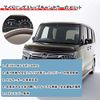


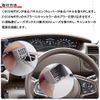
N-BOX JF3/JF4 Idling Stop Canceller, Coupler On, Turn Off Idling Stop Function, Interior Parts, Custom Canceller, Disable NBOX

- Compatible models: N-BOX JF3, 4 H29.8 and above.
Compatible Model:
DBA-JF3
DBA-JF4
6BA-JF3
6BA-JF4
Only for cars equipped with idling stops, not compatible with turbo vehicles.
※There may be cases where the product may not fit depending on the year, grade, and option. Please confirm the shape before purchasing. - Set Includes: 1 x idling stop canceller.
*Instruction manual not included.
Specifications: Coupler On.
Turn the idle stop function off.
For a stress-free and comfortable trib! - Enjoy the comfort of your car with the idle stop off
Turn on the "ECON button" installed on the Honda car N series, the idle stop function activates to switch throttle, CVT, and air conditioning to fuel saving control.
However, after every stop, the air conditioner will blow the air conditioner and cause uncomfortable car in the car or delayed when starting from waiting for a signal to the right-turn, the driver may also cause side effects such as unintentional idling stops and lower engine response.
When the engine is turned off, the idle stop function returns to the "ON", so you can feel annoyed by re-setting it to "OFF" every time you start the engine. Many drivers have daring the idling stop function to "OFF"
It is a pain to turn off the idling stop every time you turn the engine on.
It feels stressed when running out, and it will delay misoperation and propulsion.
Turn indicator, wiper will not work - Turn indicator, wiper will not work
When you want to quickly move forward and bend the intersection, such as left and right turns.
No need to worry about the life of the battery or parts
This item is a must for idling stop customers!
Benefits of Idling Stop Cancellers
Improved running response
Stable power supply, prevents rattling, reduces load on battery
Extended Cell Motor Life
Smooth launch ensures safe driving when turning left or right at intersection.
Stress-free parking
The BEFORE original operation is a hassle to press the ECON every time you start the engine and press the ECON every time.
When the AFTER is attached, the ECON will automatically turn off after about 10 seconds of engine starting. No idling stop!
*Memory function: If the ECON is turned off, it will remain off even when the engine is restarted - Can also be back to original condition (ECON ON)
Long press the ECON button for more than 5 seconds to change the initial mode when the engine starts.
You can change it to the original condition (idle stop function on).
*Operation Method: When the engine is off, press the ECON button twice without stepping on the brake, and place the engine start button for 5 seconds and press the ECON button twice to switch the initial mode at the start of the engine (ECON function ON).
*Note:
Of course, if you do the same operation again, you can turn the ECON function (idling stop) off when the engine starts.
Installation Instruction
1) Remove panels with ECON button and shift lever.
2) Insert the canceller coupler into the ECON button coupler.
3) Remove the 20A fuse for driver view box #14 and connect the canceller's power supply.
- Manufacturer: CAPAS
- Package Quantity: 1
- Part Number: CPS4561
Enjoy the comfort of your car with the idle stop off
Turn on the "ECON button" installed on the Honda car N series, the idle stop function activates to switch throttle, CVT, and air conditioning to fuel saving control.
However, after every stop, the air conditioner will blow the air conditioner and cause uncomfortable car in the car or delayed when starting from waiting for a signal to the right-turn, the driver may also cause side effects such as unintentional idling stops and lower engine response.
When the engine is turned off, the idle stop function returns to the "ON", so you can feel annoyed by re-setting it to "OFF" every time you start the engine. Many drivers have daring the idling stop function to "OFF"
It is a pain to turn off the idling stop every time you turn on the engine.
It feels stressed when running out, and it will delay misoperation and propulsion.
Turn indicator, wiper will not work
When you want to quickly move forward and bend the intersection, such as left and right turns.
No need to worry about the life of the battery or parts
This is a must have item for idling stop customers!
Benefits of Idling Stop Cancellers
Improved running response
Stable power supply, prevents rattling, reduces load on battery
Extended Cell Motor Life
Smooth launch ensures safe driving when turning left or right at intersection.
Stress-free parking
The BEFORE original operation is a hassle to press the ECON every time you start the engine and press the ECON every time.
When you install the AFTER product, it will automatically turn off the ECON after about 10 seconds of starting the engine. No idling stop!
*Memory function: If the ECON is turned off, you can return it to the original state (ECON ON) even when the engine is restarted.
Long press the ECON button for more than 5 seconds to change the initial mode when the engine starts.
You can change it to the original condition (idle stop function on).
*Operation Method: When the engine is off, press the ECON button twice without stepping on the brake, and place the engine start button for 5 seconds and press the ECON button twice to switch the initial mode at the start of the engine (ECON function ON).
*Note:
Of course, if you do the same operation again, you can turn the ECON function (idling stop) off when the engine starts.
Installation Instruction
1) Remove the panel with the ECON button and the panel with the shift lever.
2) Insert the canceller coupler into the ECON button coupler.
3) Remove the 20A fuse for driver view box #14 and connect the canceller's power supply.
Shipping Overview:
• Shipping: Standard Domestic Shipping within the United States charges first item USD 6.99 and additional item USD 3.0 each. Standard International Shipping from United Kingdom, Germany, Italian and Japan to the United States charges first item USD 11.99 and additional item USD 4.0 each.
• Import Duty: Everymarket collects applicable duties and taxes on goods imported into the U.S. at checkout, it's calculated based on the goods value multiply by the rate. For United Kingdom and China goods is 10%, Germany, Italian and Japan goods is 15%. We are committed to making your U.S. shopping experience simple and transparent. The method of delivery—either Delivered Duty Paid (DDP) or Delivered Duty Unpaid (DDU)—depends on whether duties and taxes are collected at the time of your purchase.
• Order Processing: Please allow 1-2 business days for order processing and preparation before shipment.
• Domestic Shipping: Orders within the U.S. are shipped via USPS or FedEx, depending on the origin of the product. Average transit times to the United States is 3 - 7 Business days and average transit times to International is 7 - 14 Business days
• International Shipping: Currently, we only ship within the USA.
• Tracking Information: Every order is trackable. You will receive a tracking number once your order has been shipped. Products may be shipped from various global fulfillment centers.
Shipping Delays:
Please note that shipping times may vary due to factors beyond our control, such as weather conditions, natural disasters, or peak holiday periods. While we strive to ensure timely delivery, the exact arrival time cannot be guaranteed and is managed by the shipping carrier.
Shipping Options:
-
Standard Delivery: Most orders are shipped within 3-7 business days. Larger items may utilize LTL shipping for safe handling.
-
Handling Time: We handle shipments on business days (Monday - Friday), with a preparation time of 1-2 days.
-
Additional Charges: Some items require additional shipping charges due to their size, weight, or special handling. These charges are specified on the product pages and are not eligible for shipping discounts.
-
Exclusions: Gift cards, packaging, taxes, and prior purchases do not count toward the minimum purchase requirement for free shipping. This offer is valid only for shipments to U.S. addresses, including Puerto Rico.
Delivery Details:
-
Estimates: Standard shipping within the US typically takes 3-7 business days. These are estimates and not guarantees.
-
Shipping Restrictions: We ship to all 50 states, Washington, DC, U.S. territories, and APO/FPO/DPO addresses. Shipping options vary based on the delivery address.
-
Remote Areas: Shipments to remote areas may incur additional charges or require pickup from a nearby shipping partner’s location.
Shipping Confirmation:
You will receive a shipping confirmation email with a tracking number as soon as your order is dispatched. If you do not receive this email immediately, please be assured that your items will arrive within the estimated delivery window provided at checkout.
Order Modifications:
If you need to cancel or modify your order, please contact our customer support immediately.
Issues with Delivery:
If your order shows as delivered but you have not received it, please contact the shipping carrier directly to resolve the issue. For persistent problems, contact our customer service at cs@everymarket.com.
Customer Support:
Our team is available 24/7 to assist you with any questions or concerns regarding your order. We are committed to ensuring a smooth shopping experience.
Return & Refund Policy Overview
Please review our return and refund policies below to ensure a smooth transaction process.
Return Policy
-
Duration: You have 30 days from receiving your item to initiate a return.
-
Condition: Items must be unworn, unwashed, with original tags and packaging intact.
-
Shipping Costs:
- If your return is approved due to a defective, damaged, or incorrect item, we will provide a prepaid return shipping label at no cost.
- If the item has no quality issues and matches the product listing and description, please contact our Customer Service team before returning it. Once your return is authorized, you must return the item according to the provided instructions. In this case, the return shipping cost is the customer's responsibility.
- We are not responsible for return shipping costs for items returned without prior authorization. -
Packaging: Ensure returned items are well-packaged to avoid damage during transit.
-
Tracking: Use a trackable and insured shipping method as we are not liable for items lost or damaged on return.
-
Initiating a Return: Contact us at cs@everymarket.com to start your return. We will provide a return shipping label and instructions upon approval. Returns without prior approval will not be accepted.
How to Return
-
Method: Returns must be sent back by mail to the address provided in the return instructions.
Return Label
-
Please contact us to get return labels.
Product Conditions for Return
-
Eligible Products: Returns are only accepted for items in new condition.
Nonreturnable Items
Certain items are not eligible for return:
-
Electronic devices after 30 days (e.g., computers, laptops, Kindles)
-
Gift cards, prepaid game cards
-
Perishable goods, live insects, some jewelry, some health and personal care items
-
Customized or personalized products
-
Items with special shipping restrictions
Refund Policy
-
Window: Eligible products may be returned within 30 days of delivery for a refund.
-
Refund Method: Refunds are processed to the original payment method or as store credit for items purchased with gift cards.
-
Processing Time: Refunds are processed within 3-5 business days after we receive the return; please allow additional time for shipping and bank processing.
Claims
Inspect your order upon arrival and report any defects, damages, or incorrect items immediately to allow us to address the issue. For claims, contact our support team with details of the issue.
Exchange Policy
For the quickest service, return your original item and place a new order for the desired product once your return is accepted.
Return Address
EveryMarket Customer Service 2101 E Terra Ln, O'Fallon, MO 63366
Customer Support
Available 24/7 for any questions or assistance needed:
-
Phone: +1 (800) 660-3783
-
Email: cs@everymarket.com
- Compatible models: N-BOX JF3, 4 H29.8 and above.
Compatible Model:
DBA-JF3
DBA-JF4
6BA-JF3
6BA-JF4
Only for cars equipped with idling stops, not compatible with turbo vehicles.
※There may be cases where the product may not fit depending on the year, grade, and option. Please confirm the shape before purchasing. - Set Includes: 1 x idling stop canceller.
*Instruction manual not included.
Specifications: Coupler On.
Turn the idle stop function off.
For a stress-free and comfortable trib! - Enjoy the comfort of your car with the idle stop off
Turn on the "ECON button" installed on the Honda car N series, the idle stop function activates to switch throttle, CVT, and air conditioning to fuel saving control.
However, after every stop, the air conditioner will blow the air conditioner and cause uncomfortable car in the car or delayed when starting from waiting for a signal to the right-turn, the driver may also cause side effects such as unintentional idling stops and lower engine response.
When the engine is turned off, the idle stop function returns to the "ON", so you can feel annoyed by re-setting it to "OFF" every time you start the engine. Many drivers have daring the idling stop function to "OFF"
It is a pain to turn off the idling stop every time you turn the engine on.
It feels stressed when running out, and it will delay misoperation and propulsion.
Turn indicator, wiper will not work - Turn indicator, wiper will not work
When you want to quickly move forward and bend the intersection, such as left and right turns.
No need to worry about the life of the battery or parts
This item is a must for idling stop customers!
Benefits of Idling Stop Cancellers
Improved running response
Stable power supply, prevents rattling, reduces load on battery
Extended Cell Motor Life
Smooth launch ensures safe driving when turning left or right at intersection.
Stress-free parking
The BEFORE original operation is a hassle to press the ECON every time you start the engine and press the ECON every time.
When the AFTER is attached, the ECON will automatically turn off after about 10 seconds of engine starting. No idling stop!
*Memory function: If the ECON is turned off, it will remain off even when the engine is restarted - Can also be back to original condition (ECON ON)
Long press the ECON button for more than 5 seconds to change the initial mode when the engine starts.
You can change it to the original condition (idle stop function on).
*Operation Method: When the engine is off, press the ECON button twice without stepping on the brake, and place the engine start button for 5 seconds and press the ECON button twice to switch the initial mode at the start of the engine (ECON function ON).
*Note:
Of course, if you do the same operation again, you can turn the ECON function (idling stop) off when the engine starts.
Installation Instruction
1) Remove panels with ECON button and shift lever.
2) Insert the canceller coupler into the ECON button coupler.
3) Remove the 20A fuse for driver view box #14 and connect the canceller's power supply.
- Manufacturer: CAPAS
- Package Quantity: 1
- Part Number: CPS4561
Enjoy the comfort of your car with the idle stop off
Turn on the "ECON button" installed on the Honda car N series, the idle stop function activates to switch throttle, CVT, and air conditioning to fuel saving control.
However, after every stop, the air conditioner will blow the air conditioner and cause uncomfortable car in the car or delayed when starting from waiting for a signal to the right-turn, the driver may also cause side effects such as unintentional idling stops and lower engine response.
When the engine is turned off, the idle stop function returns to the "ON", so you can feel annoyed by re-setting it to "OFF" every time you start the engine. Many drivers have daring the idling stop function to "OFF"
It is a pain to turn off the idling stop every time you turn on the engine.
It feels stressed when running out, and it will delay misoperation and propulsion.
Turn indicator, wiper will not work
When you want to quickly move forward and bend the intersection, such as left and right turns.
No need to worry about the life of the battery or parts
This is a must have item for idling stop customers!
Benefits of Idling Stop Cancellers
Improved running response
Stable power supply, prevents rattling, reduces load on battery
Extended Cell Motor Life
Smooth launch ensures safe driving when turning left or right at intersection.
Stress-free parking
The BEFORE original operation is a hassle to press the ECON every time you start the engine and press the ECON every time.
When you install the AFTER product, it will automatically turn off the ECON after about 10 seconds of starting the engine. No idling stop!
*Memory function: If the ECON is turned off, you can return it to the original state (ECON ON) even when the engine is restarted.
Long press the ECON button for more than 5 seconds to change the initial mode when the engine starts.
You can change it to the original condition (idle stop function on).
*Operation Method: When the engine is off, press the ECON button twice without stepping on the brake, and place the engine start button for 5 seconds and press the ECON button twice to switch the initial mode at the start of the engine (ECON function ON).
*Note:
Of course, if you do the same operation again, you can turn the ECON function (idling stop) off when the engine starts.
Installation Instruction
1) Remove the panel with the ECON button and the panel with the shift lever.
2) Insert the canceller coupler into the ECON button coupler.
3) Remove the 20A fuse for driver view box #14 and connect the canceller's power supply.
Shipping Overview:
• Shipping: Standard Domestic Shipping within the United States charges first item USD 6.99 and additional item USD 3.0 each. Standard International Shipping from United Kingdom, Germany, Italian and Japan to the United States charges first item USD 11.99 and additional item USD 4.0 each.
• Import Duty: Everymarket collects applicable duties and taxes on goods imported into the U.S. at checkout, it's calculated based on the goods value multiply by the rate. For United Kingdom and China goods is 10%, Germany, Italian and Japan goods is 15%. We are committed to making your U.S. shopping experience simple and transparent. The method of delivery—either Delivered Duty Paid (DDP) or Delivered Duty Unpaid (DDU)—depends on whether duties and taxes are collected at the time of your purchase.
• Order Processing: Please allow 1-2 business days for order processing and preparation before shipment.
• Domestic Shipping: Orders within the U.S. are shipped via USPS or FedEx, depending on the origin of the product. Average transit times to the United States is 3 - 7 Business days and average transit times to International is 7 - 14 Business days
• International Shipping: Currently, we only ship within the USA.
• Tracking Information: Every order is trackable. You will receive a tracking number once your order has been shipped. Products may be shipped from various global fulfillment centers.
Shipping Delays:
Please note that shipping times may vary due to factors beyond our control, such as weather conditions, natural disasters, or peak holiday periods. While we strive to ensure timely delivery, the exact arrival time cannot be guaranteed and is managed by the shipping carrier.
Shipping Options:
-
Standard Delivery: Most orders are shipped within 3-7 business days. Larger items may utilize LTL shipping for safe handling.
-
Handling Time: We handle shipments on business days (Monday - Friday), with a preparation time of 1-2 days.
-
Additional Charges: Some items require additional shipping charges due to their size, weight, or special handling. These charges are specified on the product pages and are not eligible for shipping discounts.
-
Exclusions: Gift cards, packaging, taxes, and prior purchases do not count toward the minimum purchase requirement for free shipping. This offer is valid only for shipments to U.S. addresses, including Puerto Rico.
Delivery Details:
-
Estimates: Standard shipping within the US typically takes 3-7 business days. These are estimates and not guarantees.
-
Shipping Restrictions: We ship to all 50 states, Washington, DC, U.S. territories, and APO/FPO/DPO addresses. Shipping options vary based on the delivery address.
-
Remote Areas: Shipments to remote areas may incur additional charges or require pickup from a nearby shipping partner’s location.
Shipping Confirmation:
You will receive a shipping confirmation email with a tracking number as soon as your order is dispatched. If you do not receive this email immediately, please be assured that your items will arrive within the estimated delivery window provided at checkout.
Order Modifications:
If you need to cancel or modify your order, please contact our customer support immediately.
Issues with Delivery:
If your order shows as delivered but you have not received it, please contact the shipping carrier directly to resolve the issue. For persistent problems, contact our customer service at cs@everymarket.com.
Customer Support:
Our team is available 24/7 to assist you with any questions or concerns regarding your order. We are committed to ensuring a smooth shopping experience.
Return & Refund Policy Overview
Please review our return and refund policies below to ensure a smooth transaction process.
Return Policy
-
Duration: You have 30 days from receiving your item to initiate a return.
-
Condition: Items must be unworn, unwashed, with original tags and packaging intact.
-
Shipping Costs:
- If your return is approved due to a defective, damaged, or incorrect item, we will provide a prepaid return shipping label at no cost.
- If the item has no quality issues and matches the product listing and description, please contact our Customer Service team before returning it. Once your return is authorized, you must return the item according to the provided instructions. In this case, the return shipping cost is the customer's responsibility.
- We are not responsible for return shipping costs for items returned without prior authorization. -
Packaging: Ensure returned items are well-packaged to avoid damage during transit.
-
Tracking: Use a trackable and insured shipping method as we are not liable for items lost or damaged on return.
-
Initiating a Return: Contact us at cs@everymarket.com to start your return. We will provide a return shipping label and instructions upon approval. Returns without prior approval will not be accepted.
How to Return
-
Method: Returns must be sent back by mail to the address provided in the return instructions.
Return Label
-
Please contact us to get return labels.
Product Conditions for Return
-
Eligible Products: Returns are only accepted for items in new condition.
Nonreturnable Items
Certain items are not eligible for return:
-
Electronic devices after 30 days (e.g., computers, laptops, Kindles)
-
Gift cards, prepaid game cards
-
Perishable goods, live insects, some jewelry, some health and personal care items
-
Customized or personalized products
-
Items with special shipping restrictions
Refund Policy
-
Window: Eligible products may be returned within 30 days of delivery for a refund.
-
Refund Method: Refunds are processed to the original payment method or as store credit for items purchased with gift cards.
-
Processing Time: Refunds are processed within 3-5 business days after we receive the return; please allow additional time for shipping and bank processing.
Claims
Inspect your order upon arrival and report any defects, damages, or incorrect items immediately to allow us to address the issue. For claims, contact our support team with details of the issue.
Exchange Policy
For the quickest service, return your original item and place a new order for the desired product once your return is accepted.
Return Address
EveryMarket Customer Service 2101 E Terra Ln, O'Fallon, MO 63366
Customer Support
Available 24/7 for any questions or assistance needed:
-
Phone: +1 (800) 660-3783
-
Email: cs@everymarket.com
Oops!
Sorry, it looks like some products are not available in selected quantity.